
The short version
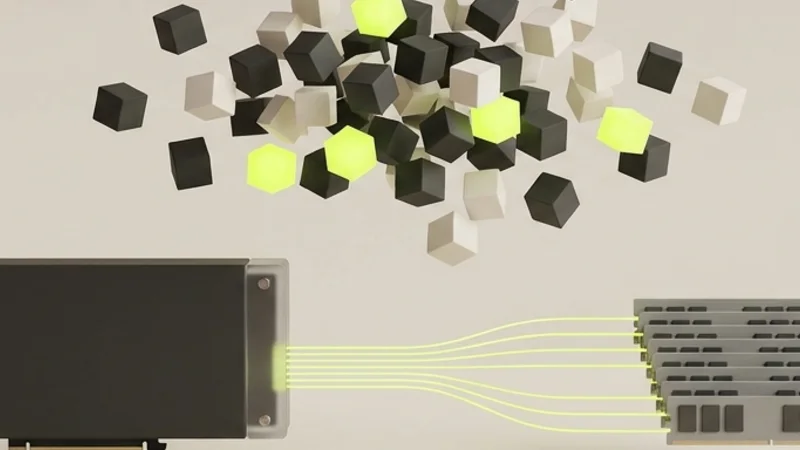
Qwen3.8-Flash-Next runs on one RTX 5090 (32 GB) with 64 GB of system RAM when you serve turboderp's 3.05 bpw EXL3 quant through TabbyAPI. In practice it uses about 26 GB of VRAM and about 43 GB of RAM for the CPU expert arena, so you need more than 40 GB of free RAM. Install TabbyAPI in a Python 3.11 venv with the prebuilt exllamav3 1.5.1 wheel, download the 3.05bpw_h5_ng5 revision (85 GB), and set backend exllamav3, cpu_moe_split_experts 400, cpu_moe_threads 24, a Q8 cache, and MTP drafting with 4 tokens. On our machine that gives about 48–52 tokens per second for decoding and 175–205 tokens per second for prefill. Set a sampling preset, give reasoning enough max_tokens, and keep an eye on swap.
Qwen3.8-Flash-Next is a 125B mixture-of-experts model, and you can run it locally on one consumer GPU. This guide shows the exact route we use on our own workstation: TabbyAPI as the server, ExLlamaV3 as the inference engine, and turboderp’s 3.05 bpw EXL3 quant. The machine is a Ryzen 9 9950X3D with an RTX 5090 (32 GB), 64 GB of DDR5-6000, and Arch Linux. Every number below was measured on that machine. Where a figure comes from someone else, I name the source.
You get an OpenAI-compatible endpoint on localhost that serves a 262,144-token context at about 50 tokens per second. The trade-off: the model needs more than your GPU alone. About 26 GB sits in VRAM, and about 43 GB of expert weights live in system RAM, where the CPU computes them. That is why the title says 40+ GB of RAM. In practice, plan for 64 GB installed.
What Qwen3.8-Flash-Next is
Qwen3.8-Flash-Next is an open-weight model from the Qwen team. The model card lists 125B parameters, of which about 6B are active per token, plus a 51B n-gram embedding table and a 4B multi-token prediction (MTP) layer. Each of the 48 layers has 512 routed experts, and 10 of them are picked per token.
That design makes it a good fit for a single GPU with CPU offload. Only a small part of the model does work for each token, so the experts that are rarely used can sit in system RAM without slowing every step. The n-gram table is a lookup, not a compute step, and ExLlamaV3 can stream it from disk.
Why EXL3 and TabbyAPI
EXL3 is the quantization format of ExLlamaV3. According to the project README, it is a streamlined variant of QTIP, a trellis-based method from Cornell RelaxML. The practical gain is quality per bit. On the model page of the EXL3 quants, turboderp publishes a KL divergence chart for this model. The 3.05 bpw quant scores 0.0177 there, against 0.0349 for the UD-IQ3_XXS GGUF quant at a similar size. Lower means closer to the original model.
TabbyAPI is the official API server for ExLlamaV3. It exposes an OpenAI-compatible API, so editors, chat clients, and agent frameworks that speak that API can use your local model without code changes. It also wires up the ExLlamaV3 options this model needs: CPU expert offload, the n-gram table, and MTP drafting.
Hardware requirements
This is the hardware we measured on, and what the model used:
- GPU: RTX 5090 with 32 GB of VRAM. About 26 GB in use with the config below.
- System RAM: 64 GB of DDR5-6000. About 43 GB resident for the CPU expert arena.
- CPU: Ryzen 9 9950X3D (16 cores, 32 threads). The CPU computes the cold experts, so core count matters.
- Disk: an NVMe drive with room for the 85.1 GB download. The n-gram table is read from it during inference.
- OS: Arch Linux with a current NVIDIA driver.
Two things did not work well. With 60 GB of RAM it gets tight as soon as a browser and other heavy programs run next to the model. And once part of the arena lands in zram or swap, decoding collapses, as described in the pitfalls below. Treat 64 GB as the realistic minimum for this configuration, and run the model on a machine that is not doing other heavy work at the same time.
Step 01
Install TabbyAPI with the prebuilt exllamav3 wheel
Clone TabbyAPI and create a Python 3.11 virtual environment inside it:
git clone https://github.com/theroyallab/tabbyAPI
cd tabbyAPI
python3.11 -m venv .venv
source .venv/bin/activate
pip install -U ".[cu12]"
The cu12 extra installs PyTorch 2.9.0 (CUDA 12.8) and the prebuilt exllamav3 1.5.1 wheel for your Python version. At the time of writing, TabbyAPI’s main branch pins exllamav3 1.5.1. Check that both landed:
pip show exllamav3 torch | grep -E '^(Name|Version)'
python -c "import torch; print(torch.cuda.is_available())"
You should see exllamav3 at 1.5.1+cu128.torch2.9.0 and True for CUDA.
Use the prebuilt wheel rather than a just-in-time (JIT) build. The wheel is faster to set up, and on our system the JIT build of the CUDA extension broke on GCC 16. That build only went through after adding -Xcompiler -Wno-template-body to the compiler flags. With the wheel you skip the whole problem.
Step 02
Download the 3.05 bpw EXL3 quant
The quants live in one Hugging Face repository, with one branch per size. This guide uses the 3.05bpw_h5_ng5 revision: 3.05 bits per weight for the experts, a 5-bit output head, and a 5-bit n-gram table.
hf download turboderp/Qwen3.8-Flash-Next-exl3 \
  --revision 3.05bpw_h5_ng5 \
  --local-dir models/qwen3.8-flash-next-exl3-3.05bpw
The hf command comes with huggingface_hub, which TabbyAPI installs into the venv. Older guides use huggingface-cli download, but recent huggingface_hub versions no longer run that command. TabbyAPI also has its own downloader (./start.sh download <repo> --revision <branch>) if you prefer that.
The download is 85.1 GB. One file stands out: ngram_embedding.safetensors is 32.6 GB on its own. Keep the folder on NVMe, because that table is streamed from disk while the model runs. The folder name becomes the model name in TabbyAPI.
Step 03
Configure config.yml and a sampling preset
Copy config_sample.yml to config.yml and change the keys below. The rest can stay at the defaults. These are the values we run and measured:
network:
  host: 127.0.0.1
  port: 5000
  disable_auth: true

model:
  model_dir: models
  model_name: qwen3.8-flash-next-exl3-3.05bpw
  backend: exllamav3
  max_seq_len: 262144
  cache_size: 262144
  cache_mode: Q8
  gpu_split_auto: true
  autosplit_reserve: [1000]
  cpu_moe_split_experts: 400
  cpu_moe_threads: 24
  ngram_ram: false
  reasoning: true

draft_model:
  draft_mode: mtp
  draft_num_tokens: 4
  dynamic_draft: true

sampling:
  override_preset: qwen3_8_flash_next
What the important keys do:
backend: exllamav3selects the engine. The value isexllamav3, notexl3.cpu_moe_split_experts: 400keeps the 400 coldest of the 512 experts per layer in system RAM and computes them on the CPU. The hot experts stay in VRAM, and ExLlamaV3 adjusts the placement while it runs.cpu_moe_threads: 24sets the CPU worker threads for those experts. Without it, ExLlamaV3 uses half the core count.ngram_ram: falsestreams the 51B n-gram table from disk. Loading it into RAM would need tens of gigabytes more than a 64 GB machine has left.cache_mode: Q8stores the KV cache in 8 bits instead of 16, which halves its size for the full 262,144-token context.autosplit_reserve: [1000]leaves 1,000 MB of VRAM free on the GPU for the desktop and CUDA overhead.draft_mode: mtpuses the model’s own MTP layer for speculative decoding. No separate draft model is needed.disable_auth: trueis only acceptable because the server listens on127.0.0.1. If you open it to your network, turn authentication back on.
Now create the sampling preset in sampler_overrides/qwen3_8_flash_next.yml. TabbyAPI finds it by name in that folder:
temperature:
  override: 0.7
  force: false
top_k:
  override: 20
  force: false
top_p:
  override: 0.95
  force: false
min_p:
  override: 0.0
  force: false
These values are fallbacks. A request that sends its own sampler settings still overrides them. Skipping this preset is one of the pitfalls below.
Step 04
Start the server and send a first request
Start TabbyAPI from the project folder with the venv active:
python main.pyFrom a warm NVMe, the model is loaded in about two minutes on our machine. A first load from a cold disk can take longer. Check that the server is up and the model is loaded:
curl -s http://127.0.0.1:5000/health
curl -s http://127.0.0.1:5000/v1/models
Then send a first chat request to the OpenAI-compatible endpoint:
curl -s http://127.0.0.1:5000/v1/chat/completions \
  -H "Content-Type: application/json" \
  -d '{
    "model": "qwen3.8-flash-next-exl3-3.05bpw",
    "messages": [{"role": "user", "content": "Write a Python function that checks whether a string is a palindrome."}],
    "max_tokens": 4000
  }'
The model reasons before it answers. TabbyAPI splits that reasoning into a separate reasoning_content field, and the answer arrives in content. Note the high max_tokens. The reason is explained in the pitfalls.
The server log prints the speed per request, and with MTP drafting also the acceptance rate of the drafted tokens. That log is the source for all the measurements in the next section.
Performance tuning: our measured A/B results
We tuned three settings one at a time, with greedy decoding, reading the figures from the TabbyAPI server log. All runs were done with nothing else heavy running on the machine.
CPU threads for the expert arena
The thread count for the CPU experts had the biggest effect on decoding. More threads is not always better: at 32 threads the SMT siblings compete for the same cores, and decoding got slower than at 24.
| cpu_moe_threads | Decode (tok/s) | Note |
|---|---|---|
| 16 | 48.1 | Fewer threads than the CPU can feed |
| 24 | 51.7 | Best result; prefill 188 tok/s in this run |
| 32 | 47.6 | Slower due to SMT contention |
On a 16-core, 32-thread CPU, 24 threads was the sweet spot. On a different CPU, run the same test with your own core count.
How many experts go to the CPU
In a separate A/B run, we lowered cpu_moe_split_experts from 430 to 400. That puts 30 more experts per layer on the GPU. Decoding stayed the same, prefill rose from 174 to 204 tokens per second, and the machine kept about 2 GB more free RAM. With 32 GB of VRAM, 400 fit with the 1,000 MB reserve. On a card with less VRAM you need a higher value, which means more RAM.
Draft depth for MTP speculative decoding
With MTP drafting, the model proposes several tokens ahead and verifies them in one pass. draft_num_tokens: 4 with dynamic_draft: true gave the best result. A draft depth of 6 was 4% slower. The acceptance rate stayed around 56–58%, so longer drafts mostly produced more tokens that were thrown away.
The end result on our machine
With all three settings in place, we see about 48–52 tokens per second for decoding and about 175–205 tokens per second for prefill. The model loads in about two minutes from a warm NVMe. These figures were measured without other heavy workloads running.
For context: the ExLlamaV3 1.5.0 release notes list higher numbers for this model on an RTX 5090 paired with a Threadripper 7960X, with the n-gram table in RAM and a pinned arena. That is different hardware with more memory and different settings, so do not treat our numbers as the ceiling, or theirs as what a 64 GB desktop will reach.
Pitfalls we ran into
Swap kills decoding
If part of the expert arena is pushed into zram or swap, decoding falls from about 50 to about 2.4 tokens per second. The model keeps running, so it is easy to miss. Check how much of the process sits in swap:
grep VmSwap /proc/$(pgrep -f "python main.py")/statusAnything far above zero means the arena no longer fits. Close other programs, keep an eye on free RAM with free -g, and do not start the model next to other memory-hungry work.
No sampling preset, no stable output
Without a sampling preset, requests that send no sampler values run with top_k 0 and top_p 1. In that state the model can drift into other languages mid-answer. The preset from step 03 (temperature 0.7, top_k 20, top_p 0.95) works well and keeps clients that send nothing on safe values.
Reasoning eats max_tokens
Qwen3.8-Flash-Next thinks before it writes the answer, and those reasoning tokens count toward max_tokens. With a low limit, the response can stop before the actual answer starts, leaving content empty. Use at least 400 tokens, and 4,000 for real tasks.
Small config mistakes
backend must be exllamav3; exl3 is not a valid value. And run this model on its own: a second model, a game, or another GPU workload on the same machine takes VRAM or RAM the model needs.
What it gets you
The result is a strong coding model on hardware you control. On the Qwen model card, Qwen3.8-Flash-Next scores 58.7 on DeepSWE 1.1 and 62.5 on SWE-bench Pro. Those are the Qwen team’s figures for the full model, not measurements of this quant. In our own comparison, it is the strongest model for coding tasks that we can run on this consumer machine. Nothing leaves your network, there is no per-token bill, and any tool that speaks the OpenAI API can connect, from a code editor to an AI agent running a workflow.
Alternatives worth considering
This setup is not the only route, and it is not always the best one:
- A smaller quant. The same repository has a 2.05 bpw version that needs less memory, at a clear cost in quality: turboderp’s chart shows a KL divergence of 0.0684 for it, against 0.0177 for 3.05 bpw. We did not measure its speed or memory use.
- GGUF with llama.cpp. This route runs on more hardware, including Macs and CPU-only machines, and Unsloth publishes GGUF quants with a run guide. In our comparison, that route was slower on this model than ExLlamaV3.
- A cloud API. If you do not have the hardware, or only need the model now and then, a hosted API costs less than a new GPU and a RAM upgrade. You give up the privacy and fixed costs of a local setup.
Wrapping up
The short recipe: TabbyAPI in a Python 3.11 venv with the prebuilt exllamav3 1.5.1 wheel, the 3.05bpw_h5_ng5 quant on NVMe, backend: exllamav3, 400 experts per layer on the CPU with 24 threads, a Q8 cache, MTP drafting with 4 tokens, and a sampling preset. Watch swap, give reasoning room, and run the model on its own. On one RTX 5090 with 64 GB of RAM, that gives a 125B model at about 50 tokens per second. ExLlamaV3 and TabbyAPI move quickly, so check the ExLlamaV3 releases for new versions before you start.
If you want to put a local model like this to work in your business, hiring someone to build an AI agent covers what to prepare and what to look for.